
Quick answer: To buy stock on Robinhood, search for the company, tap Trade → Buy, choose whether to buy in dollars (fractional shares) or shares, pick an order type (a limit order lets you set your maximum price), enter the amount and swipe to submit. Trades in US stocks and ETFs have no commission. Orders placed during market hours (9:30 a.m.–4:00 p.m. ET) usually fill quickly; you can also trade in extended hours and the 24 Hour Market for some stocks.
Buying your first stock is exciting. This step-by-step guide shows exactly what to do and how to avoid the common mistakes beginners make.
Before you buy
| Check | Why |
|---|---|
| Account funded | You need buying power |
| 2FA turned on | Protects your account |
| Emergency fund in place | Don’t invest money you’ll need soon |
| Basic research | Know what the company does |
| Budget per stock | Avoid putting everything in one stock |
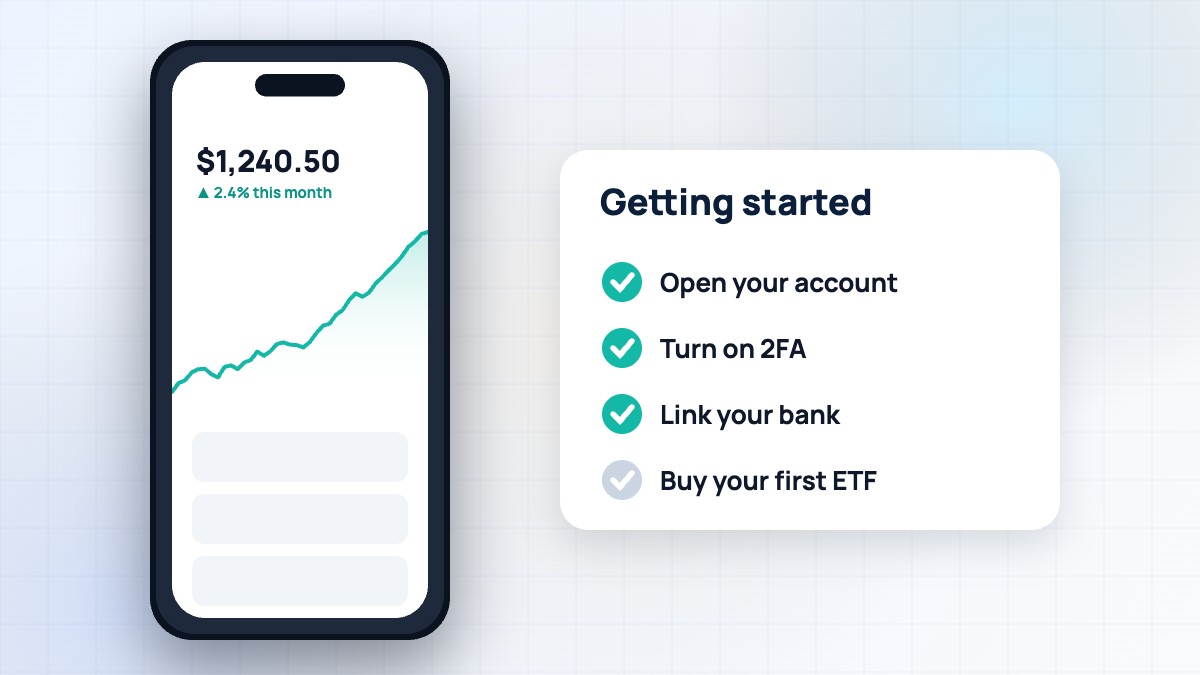
Haven’t set up an account yet? Start with how to use Robinhood.
Step 1: Find the stock
Search by company name or ticker, such as Palantir or PLTR. This is only an example, not a recommendation.
Tap the search icon and type the company name or ticker symbol (for example, the ticker for a company you know). Open the stock page to see the price chart, key statistics like market cap and P/E ratio, news, earnings dates and analyst ratings. Add it to a watchlist if you want to follow it before buying.
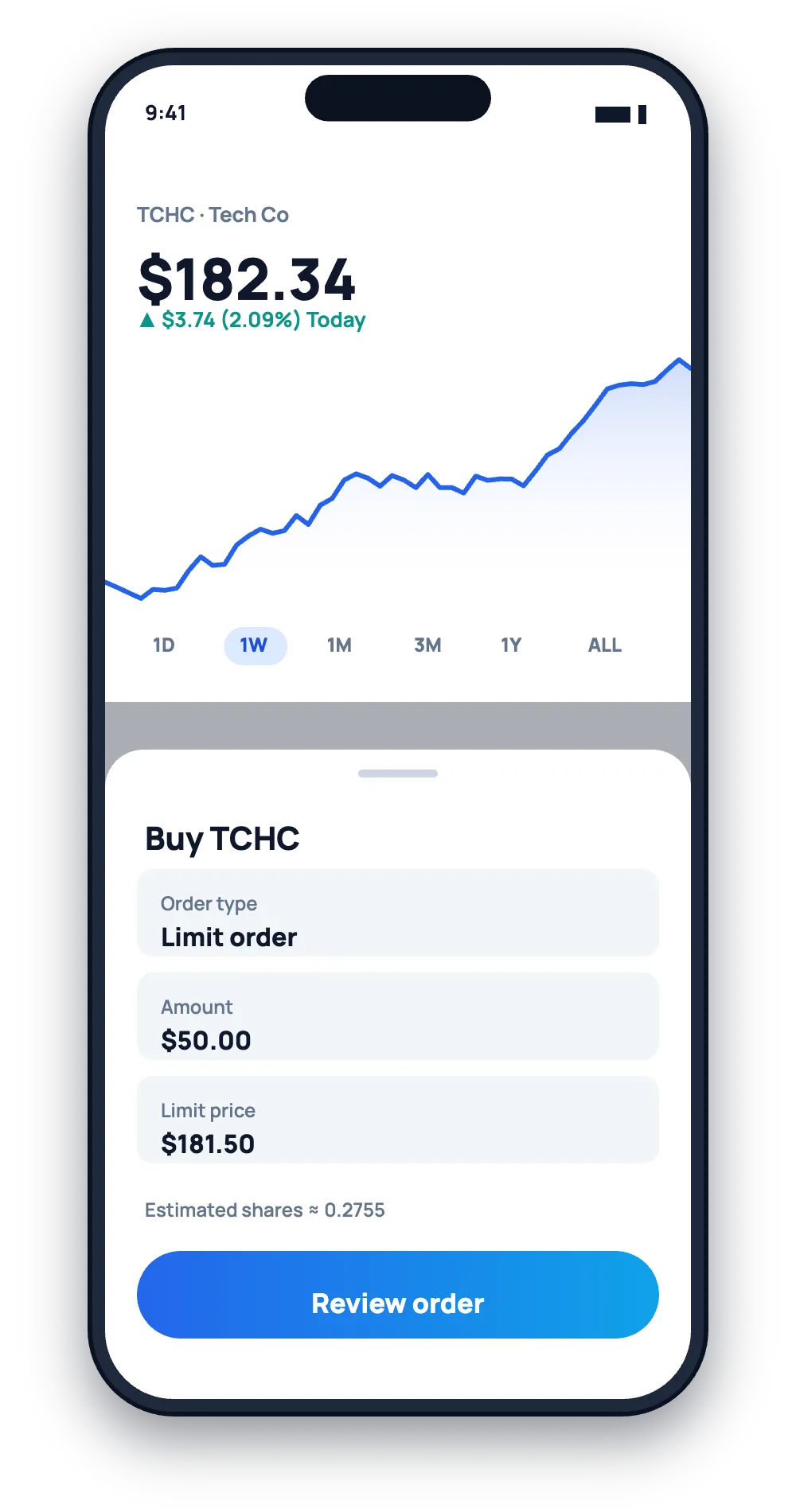
Step 2: Tap Trade → Buy
On the stock page, tap Trade, then Buy. You’ll see the order screen with options for amount and order type.
Step 3: Choose dollars or shares
- Dollars: invest a set amount, like $50. You’ll get a fractional share if the price is higher. Great for small budgets.
- Shares: buy a set number of whole shares, like 2 shares.
Not every stock supports fractional shares, and some order types work only with whole shares.
Step 4: Pick an order type
| Order type | What it does | When to use |
|---|---|---|
| Market | Buys at the best available price now | Large, liquid stocks during market hours |
| Limit | Buys only at your price or lower | Most situations; controls your cost |
| Stop | Becomes a market order when price hits a level | Advanced; mainly for selling |
| Stop limit | Becomes a limit order at a trigger price | Advanced price control |
| Recurring | Buys automatically on a schedule | Building positions over time |
Beginners often choose limit orders to avoid paying more than expected if the price jumps.
Step 5: Set amount, time in force and hours
Enter how much to buy. For limit orders, choose how long the order lasts — good for day (cancels at the end of the day) or good till canceled. You can also choose whether the order can execute in extended hours. Extended-hours and overnight trading usually have fewer buyers and sellers, so prices can be more volatile.
Step 6: Review and submit
Check the estimated cost, number of shares and order type. Swipe up or tap to submit. You’ll see an order confirmation. Once filled, the stock appears in your portfolio. If the order hasn’t filled yet, you can cancel it from the stock page or your order history.
Trading hours
| Session | Time (ET) |
|---|---|
| Pre-market | Early morning before 9:30 a.m. |
| Regular hours | 9:30 a.m. – 4:00 p.m. |
| After hours | 4:00 p.m. – 8:00 p.m. |
| 24 Hour Market | Overnight on weekdays for selected stocks and ETFs |
Orders placed when markets are closed wait until the next eligible session.
Buying ETFs instead of single stocks
ETFs hold many companies in one investment, which spreads risk. Many beginners start with broad-market ETFs and add individual stocks later. You buy ETFs the same way as stocks on Robinhood, with no commission.
Common beginner mistakes
- Buying on hype without understanding the business.
- Using market orders on volatile or thinly traded stocks, then paying more than expected.
- Putting everything into one stock.
- Trading in extended hours without knowing the risks.
- Selling in a panic when prices dip.
- Forgetting about taxes on gains when selling.
After you buy
Tap the stock in your portfolio to see your average cost, total return and dividends. You can set price alerts, turn on dividend reinvestment and set recurring investments. Review your holdings periodically rather than daily.
What it costs
There’s no commission on US stock and ETF trades. When you sell, small regulatory fees may apply. Some foreign stocks traded as ADRs carry custody fees. See our full Robinhood fees guide.
A real-world example
Tom wanted to invest $100 in a well-known technology company trading at $400 per share. He chose “Buy in dollars”, entered $100 and got 0.25 shares. Next, he wanted 2 whole shares of a cheaper ETF, so he placed a limit order at a price just below the current ask. It filled within minutes. He set a $25 weekly recurring investment into the ETF to keep building his position.
Safety tips
Only trade through the official app or robinhood.com. Be wary of “stock tips” from strangers on social media or messaging apps — pump-and-dump schemes are common. Robinhood will never ask for your password or 2FA code. More in our safety guide.
Glossary
- Ticker: a stock’s short symbol.
- Bid/ask: the highest price buyers offer and the lowest price sellers accept.
- Spread: the gap between bid and ask.
- Market cap: the total value of a company’s shares.
- P/E ratio: share price divided by earnings per share.
- Dividend: a cash payment some companies make to shareholders.
How to research a stock in the app
Before buying, spend a few minutes on the stock page. Read what the company does, check recent news and earnings dates, and look at the long-term price chart rather than just today’s move. Note key numbers like revenue growth and debt if they’re shown. Gold members can read Morningstar research reports. Ask yourself simple questions: Do I understand how this company makes money? Would I be comfortable holding it if the price dropped 20%? If not, consider a diversified ETF instead.
Should you buy all at once?
Some investors buy their full amount at once; others spread purchases over weeks using recurring investments. Spreading purchases reduces the chance of buying everything at a short-term high.
FAQ
How much does it cost to buy a stock on Robinhood?
No commission for US stocks and ETFs; you pay the share price.
Can I buy part of a share?
Yes, many stocks and ETFs support fractional shares from $1.
What’s the difference between market and limit orders?
Market orders buy at the current price; limit orders buy only at your price or better.
Why didn’t my order fill?
A limit price below the market, outside trading hours or low liquidity can stop fills.
When do I own the stock?
Your position appears right away; the trade settles in one business day.
Summary
Buying stock on Robinhood takes less than a minute: search, Trade → Buy, choose dollars or shares, pick an order type and submit. Use limit orders, diversify and invest money you won’t need soon. This guide is educational and not financial advice.
RobinhoodTradeApp Guide is an independent website and is not affiliated with, endorsed by or sponsored by Robinhood Markets, Inc. This article is for educational purposes only and is not financial, investment or tax advice. Fees, rates and features change often, so always confirm details on Robinhood’s official website. Investing involves risk, including the possible loss of principal.

Leave a Reply